Spreadsheet in.Design out.
SheetMach fills your Figma designs with data from Excel, CSV, Google Sheets or Airtable — text, images and component properties. Fast and predictable.
Get it on Figma Community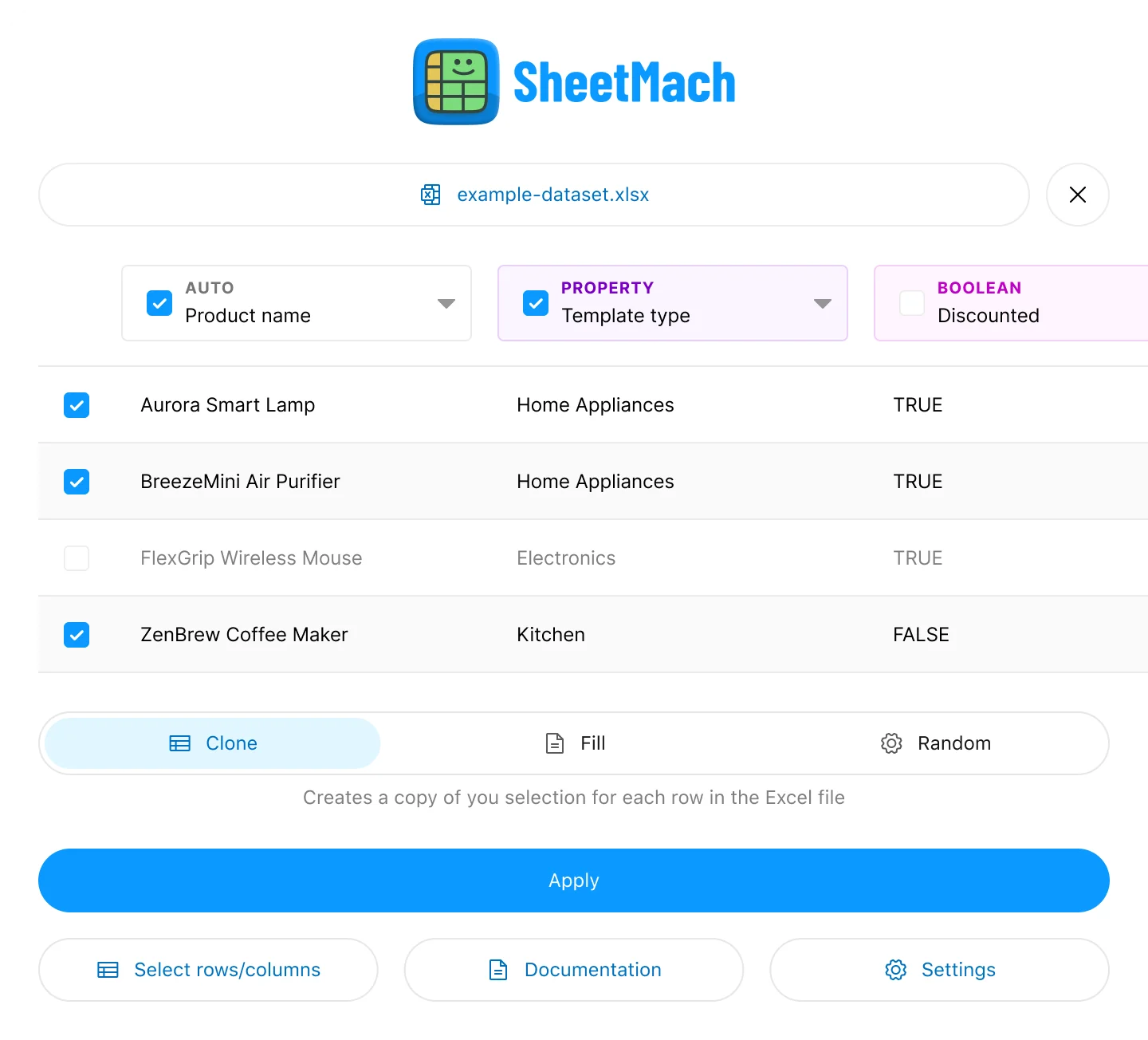 Plugin screenshot — main-window.png
More than text layers
Name your layers after your column headers. SheetMach does the rest.
Fast and predictable
No prompts, no waiting for AI. SheetMach maps your data directly, so hundreds of layers are filled in seconds and the result is the same every time.
Text & images
Fill text layers by name. Put an image URL in a cell and it becomes an image fill.
Component properties
Switch variants, flip booleans to show or hide layers, swap nested instances like icons.
Text merge
Write Hello {{name}}! in a layer and each row fills in the blank.
Export back
Pull texts and properties out of your designs as XLSX, CSV, JSON, Markdown or XLIFF.
Three modes
Clone
Duplicates your selection once per row. Lists, cards, catalogs.
Fill
Puts rows into elements you already have, in order.
Random
Gives each element a random row. Good for realistic mockups.
Try it, then own it
Pay once. No subscription.
Try every feature before you buy. You get 5 new uses every 30 days.
Buy it once in Figma and use it as much as you want.
FAQ
How does SheetMach know where the data goes?
It matches column headers to layer names and component property names. A column called title updates every layer named title in your selection.
Does Google Sheets need an API key?
No. Set the sheet to "Anyone with the link can view" and paste the URL. Airtable and Baserow need an API key.
Where does my data go?
Files are read inside the plugin and nothing is uploaded. URL imports go through a small proxy and the data stays in your Figma session.
Do I need to change my file to use it?
Only layer names. Rename the layers you want to fill so they match your column headers. Components and styles stay as they are.
How is this different from AI plugins?
SheetMach doesn't guess. It puts your exact data in the exact layers, so the result is the same every run and it takes seconds, not minutes.
Can I show or hide layers from the sheet?
Yes. Use true / false for boolean properties, or visible:true / visible:false for any layer.
What file formats can I import?
Excel (xlsx, xls), Numbers, ODS, CSV, JSON, Markdown tables and XLIFF. You can also paste a Google Sheets, Airtable or Baserow link.
Something doesn't work. Who do I ask?
Email kontakt@szymonkozlowski.com — questions, bugs and feature requests welcome.